The benefits of kanban come from two habits: showing all work on a board, and limiting how much of it is in progress at once. This article covers what those habits give a small team, what published studies say about them, and the disadvantages you should plan for. If you want the definition first, read what is a kanban board.
The short version
Kanban asks you to change very little at the start. You draw the steps your work already goes through as stages, put each piece of work on a card, and cap the number of cards in the busy stages. There are no Sprints to plan and no roles to assign before you begin.
Benefits of kanban
The advantages of kanban below are the ones teams report most often. Where a study measured one, the study is linked.
1. Everyone can see the work
A board answers “who is doing what?” and “what is stuck?” without a meeting. A manager, a client or a new team member can open it and see the state of a project in a minute.
Visibility is also the benefit with the strongest evidence. A 2018 structured synthesis of 20 studies in the Journal of Software Engineering Research and Development gave the highest confidence to four kanban benefits: work visibility, control of project activities and tasks, flow of work, and time-to-market.
2. Bottlenecks show up early
When one stage fills with cards and the next stage stays empty, the bottleneck is plain to see. Review, approval and waiting on a client are common examples. A WIP limit turns that observation into a rule: the team clears the full stage before it pulls in more work.
3. Work finishes sooner
Limiting work in progress shortens the time each item takes. Little’s Law, a queuing result proved by John D. C. Little, states that over a stable period average WIP equals throughput multiplied by average time in the system. If your team finishes the same number of items per week, cutting WIP in half cuts the average time per item in half.
Two published cases measured this:
- BBC Worldwide. A nine-person software team in London used lean methods with kanban boards and daily stand-ups. Over 12 months, lead time improved by 37%, consistency of delivery rose by 47% and defects reported by customers fell by 24%.
- 18F, US General Services Administration. In 2016 the 18F Agreements team, which processes agreements rather than software, tried kanban. Slides published on digital.gov report that average processing time fell from 65 days to 37.5 days, and agreements in process fell from 49 to 20.
Neither case isolates kanban from the other changes the teams made, so treat the numbers as examples, not as a forecast for your team.
4. Less context switching
Each extra task in progress means another switch between tasks. The Kanban University guide says WIP limits reduce delay and context switching, and that they are the basis of a pull system. People finish one thing, then pull the next one.
5. You start with the process you already have
Kanban University’s first principle is “start with what you do now.” You name the stages after your real steps, so nobody needs new job titles or a new vocabulary. You then change the process in small steps, such as adding a stage or lowering a limit.
6. Priorities can change at any time
Kanban has no Sprint commitment to protect. When urgent work arrives, it goes to the top of the queue and enters the board when a slot opens. Flexible priorities suit support work, client requests and editorial teams, where plans change every week.
7. Shorter status updates
When the board holds the facts, a status meeting can move from “what are you working on?” to “what is blocked?”. Kanban University calls these regular meetings cadences, and the BBC Worldwide team above held daily stand-ups at its boards.
8. It works outside software
Kanban began in car production, and the method works for any process with steps. Editorial calendars, sales pipelines, hiring and event planning all fit. See these kanban examples for complete boards.
What the evidence does not show
Most lists of kanban benefits come from vendor blogs, and the research behind them is thinner. The 2018 synthesis found more than 16 claimed benefits, but said that many of them still lack the appropriate level of evidence. The authors also found no negative results in the literature, which suggests that failed adoptions are rarely published.
Most studies come from software teams, and most are case studies without a control group. The benefits above are likely, not guaranteed, and the size of any gain depends on how much work in progress your team carries today.
Disadvantages of kanban
Kanban has real limits. Plan for these before you start:
- No built-in dates. Kanban has no iterations or deadlines of its own. If you must promise a date six months out across many dependencies, you need a separate plan or a forecast based on your throughput.
- It depends on discipline. A board shows the truth only if people move cards when work moves. A board nobody updates becomes a list of old tasks.
- Culture is the hardest part. The 2018 synthesis named organizational culture as the most common challenge. A manager who rewards starting new work can undo any WIP limit.
- WIP limits feel uncomfortable. When a stage is full, people may have to help others or wait instead of starting something new. If the team raises the limits to avoid this, the limits lose their benefit.
- Large items stall. A card that takes six weeks shows little movement and hides its progress. You have to split big work into smaller cards.
- The board shows only what is on it. Meetings, support requests and coordination take time but rarely get a card. What isn’t on the board covers this invisible work.
- It is easy to adopt the board and skip the method. Columns without limits or agreed rules give you a to-do list with columns, not a kanban system.
Kanban advantages and disadvantages at a glance
| Advantage | Matching disadvantage |
|---|---|
| Visible work for everyone | Only as accurate as the last update |
| Flexible priorities, no Sprints | No built-in deadlines for long-range plans |
| Starts with your current process | Does not fix a poor process on its own |
| WIP limits shorten time per item | Limits feel uncomfortable and get raised |
| Little setup | Easy to skip the rules that make it work |
An example from a small team
Picture a four-person team that maintains client websites. Requests arrive by email and chat, and each person keeps a private list. The team moves every request onto one board with four stages: Requested, Doing, Waiting on client and Done. They set a limit of four cards in Doing, one per person.
Three changes follow within the first weeks:
- Duplicate requests stop, because people can see that a card already exists.
- Stalled work becomes visible, because cards sit in Waiting on client for days and the team follows up.
- Fewer people ask “is it done yet?”, because the answer is on the board.
How to get the benefits in your first month
The benefits above depend on a few habits. A first month could look like this:
- Week 1. Map your current steps as stages and put all open work on the board, including support and recurring jobs.
- Week 2. Set a WIP limit on the stage where cards pile up. Start near the number of people who work in that stage.
- Week 3. Hold a short meeting at the board each day. Start from the right-hand stages and ask what blocks each card.
- Week 4. Write down the rules that came up, such as who moves cards to Done, and review the limit.
Track one number while you do this, such as the count of cards finished each week. Without a before-and-after number, you cannot tell whether the change helped.
Is kanban right for your team?
Answer these four questions:
- Do you often lose track of who is doing what?
- Do tasks pile up half finished?
- Do clients or colleagues ask for status updates?
- Does your current system live in a long document or an inbox?
If you answered yes to two or more, a board will probably help. If your work runs on fixed release dates with a stable team, compare kanban with Scrum before you choose.
Getting the benefits in KanbanWP
KanbanWP is a free WordPress plugin that keeps boards in your own WordPress database. It supports the two habits above:
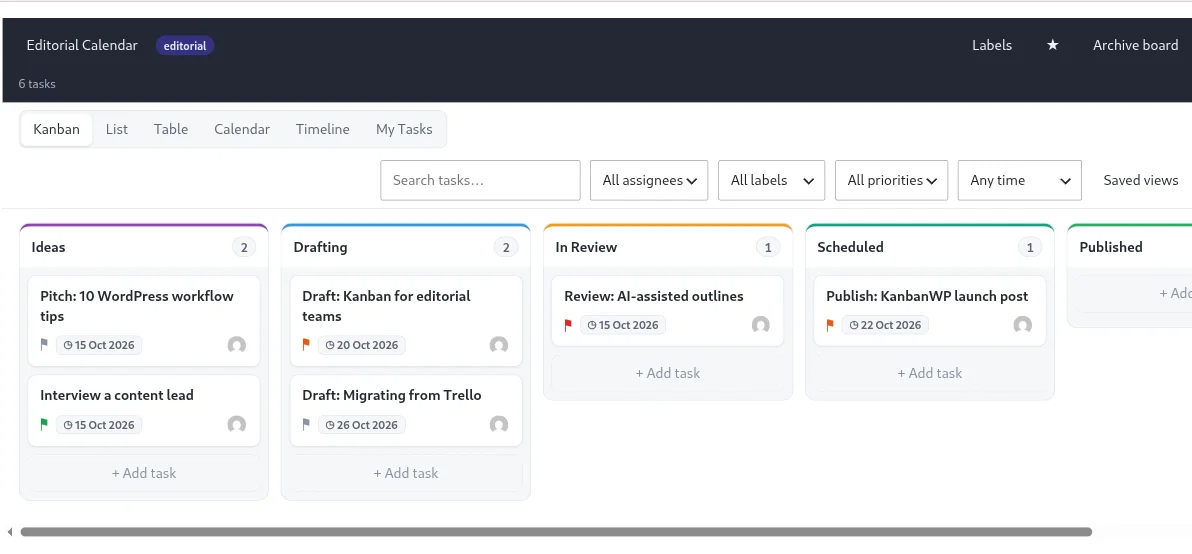
- Visibility. Each board has Kanban, List, Table, Calendar, Timeline and My Tasks views. Calendar and Timeline help with the date planning that a plain board lacks.
- WIP limits. Each stage can have a WIP limit. You set a default for new boards in KanbanWP > Settings, or change one stage’s limit through the REST API. The stage shows its count against the limit and a warning badge when it goes over, but it does not block a move.
- Flow. The Reports screen shows tasks per stage and a 30-day cumulative flow chart.
To start, create a board from one of the kanban board templates and follow your first board. If you are choosing between tools, see best free kanban board software in 2027.
Frequently asked questions
What are the main benefits of kanban?
The benefits with the best support in published studies are work visibility, control of tasks, better flow of work and faster delivery. Kanban University also says that WIP limits reduce delay and context switching.
What are the disadvantages of kanban?
Kanban has no built-in deadlines or iterations, so long-range dates need separate planning. It also depends on the team keeping the board current, and studies name organizational culture as the most common obstacle.
Is there evidence that kanban works?
There are case studies with measured results, such as a BBC Worldwide team whose lead time improved by 37% over 12 months. A 2018 review of 20 studies found strong support for some benefits but said many claims still lack evidence.
Is kanban better than Scrum?
Neither is better in general. Kanban suits work that arrives continuously and changes priority often, while Scrum suits teams that want fixed iterations and set roles.